Mantis Theme Review: A Developer's Deep Dive into the "Minimal" WooCommerce Promise - Free
Mantis Theme Review: A Developer's Deep Dive into the "Minimal" WooCommerce Promise
The WooCommerce theme market is a jungle. It's a dense, overgrown ecosystem of multi-purpose behemoths, niche single-product themes, and everything in between. Every new entry promises to be the one: faster, cleaner, more intuitive. So when a theme like Mantis - Minimal & Modern WooCommerce Theme steps into the arena, a healthy dose of skepticism is required. It claims to be "minimal" and "modern," two of the most overused and diluted adjectives in web design. The real question isn't whether it looks minimal on the demo page; it's whether it performs with a minimal footprint and provides a modern development experience under the hood. This isn't a surface-level review. We're going to install it, dissect its code, measure its performance, and determine if it's a solid foundation for a professional e-commerce project or just another pretty face hiding a bloated core.
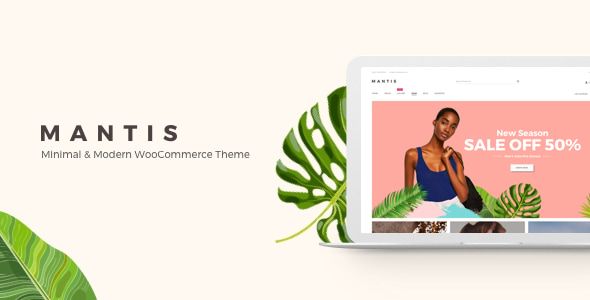
First Impressions: Deconstructing the "Minimal & Modern" Pitch
Before any installation, the first stop is always the theme's demo pages. This is the sales pitch, the idealized version of what you're hoping to build. Mantis presents a clean, grid-based aesthetic that leans heavily on strong typography and ample white space. It’s clearly aimed at fashion, high-end electronics, cosmetics, and furniture stores—markets where the product's visual appeal is paramount and the interface needs to get out of the way.
The "minimal" aspect is purely visual. The layouts are uncluttered, and the default color palette is muted. This is a good starting point. It's far easier to add complexity to a minimal base than it is to strip away the garish, over-designed elements of a bloated "multi-purpose" theme. The "modern" claim seems to rest on its use of AJAX-powered filters, off-canvas menus, and a mobile-first responsive design. These are table stakes in 2023, not revolutionary features, but their execution here is competent.
The core of Mantis is built on Elementor. This is an immediate and critical piece of information for any developer. Your feelings about Mantis will be heavily influenced by your feelings about Elementor. On one hand, it provides clients with a powerful visual editing experience. On the other, it introduces a significant layer of abstraction, potential performance overhead, and a DOM structure that can be... verbose. We'll examine how deeply Mantis integrates with Elementor later, but know this upfront: you're not just buying a theme; you're buying into the Elementor ecosystem.
Part 1: The Installation & Setup - A Developer's Walkthrough
A theme's true colors often show during the setup process. Is it a streamlined experience, or a frustrating gauntlet of cryptic error messages and plugin conflicts? Let's walk through it step-by-step, as if setting up a new client project.
Prerequisites: Don't Skip the Prep Work
Before you even think about uploading the theme, ensure your hosting environment is up to snuff. A theme like this, running WooCommerce and Elementor, is not suited for cheap, underpowered shared hosting. Here’s a realistic baseline:
- WordPress: Latest stable version.
- WooCommerce: Latest stable version.
- PHP: 7.4 or higher (8.0+ is preferable).
- PHP Memory Limit: Set
WP_MEMORY_LIMITto256Mor512Min yourwp-config.php. The demo import process, in particular, will thank you. - PHP
max_execution_time: 300 seconds. Again, this is for the demo import to prevent timeouts.
Starting with a clean WordPress installation is non-negotiable. Attempting to install Mantis over an existing site with a different theme and a dozen active plugins is a recipe for disaster.
Step 1: Acquiring and Uploading the Theme
You'll get your theme files from a source like gpldock, a popular GPL club that provides access to premium themes and plugins. When you download the package, you'll likely get a main .zip file named something like themeforest-xxxxxxxx-mantis.... Do not upload this file directly. This is a common mistake. Unzip this master file first. Inside, you will find the documentation, licensing info, maybe some bundled plugins, and the actual theme files: mantis.zip and, ideally, mantis-child.zip.
The file you need to install is mantis.zip.
- Navigate to your WordPress Dashboard.
- Go to Appearance -> Themes -> Add New.
- Click Upload Theme.
- Choose the
mantis.zipfile and click Install Now. - Once installed, do not activate it yet. Go back and repeat the process for
mantis-child.zip. - Now, activate the Mantis Child theme. Working with a child theme from day one is the only professional way to approach this. It ensures that any custom CSS or function modifications you make won't be wiped out when the parent theme is updated.
Step 2: The Plugin Onslaught
Upon activating the child theme, you'll be greeted by a prominent dashboard notice, courtesy of the TGM Plugin Activation library. This is standard practice for complex themes. Mantis requires a list of plugins to function as advertised.
The list typically includes:
- Mantis Core: The theme's functionality plugin. Absolutely required. This is good practice, as it separates core features from presentation.
- Elementor: The page builder. Required.
- WooCommerce: The e-commerce engine. Required.
- Revolution Slider: A premium slider plugin, often bundled. Performance-wise, this is a heavy plugin. Use it sparingly, if at all.
- Contact Form 7: A sta

相关文章
热门文章

热门问题

等待解答
推荐专家




