Breakfast Time Technical Review: A Developer's Guide to this HTML5 Cooking Game - NULLED
Breakfast Time Technical Review: A Developer's Guide to this HTML5 Cooking Game
The market for lightweight, embeddable HTML5 games is perpetually hungry for new content. These games serve as powerful engagement tools, capable of increasing time-on-site and adding a sticky, interactive layer to otherwise static web pages. Game templates promise a shortcut, offering a pre-built foundation that developers can customize and deploy quickly. Today, we're putting one such asset under the microscope: the Breakfast Time - HTML5 Construct 2 Cooking Game. This isn't a review of its playability in a vacuum; it’s a deep dive for developers. We'll tear it down, analyze its Construct 2 source code, walk through a live deployment, and determine its true value as a professional development tool.
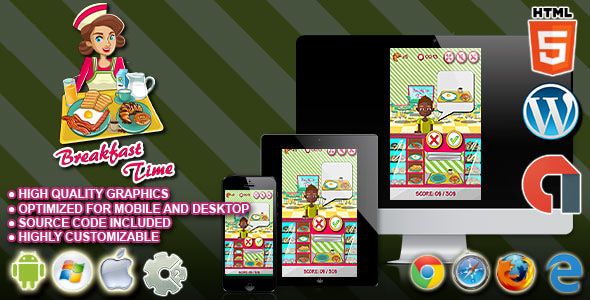
Unboxing Breakfast Time: A First Look
Upon acquiring the package, you receive a ZIP file containing the essentials. The contents are straightforward: a folder with the exported HTML5 game, another containing the raw assets (images and audio), the crucial Breakfast-Time.capx source file for Construct 2, and a perfunctory documentation file. The file organization is adequate, if not exemplary. The exported game is self-contained in its HTML5 directory, ready for immediate upload, which is a good sign. The assets are separated into Images and Sounds, though a more granular structure within the images folder (e.g., UI, characters, ingredients) would have been appreciated for more complex reskinning projects.
Running the index.html file directly from the local filesystem will likely fail on modern browsers like Chrome due to Cross-Origin Resource Sharing (CORS) policies. The game engine needs to fetch its assets via AJAX requests, an action browsers block for local file:// protocols. This is standard behavior for HTML5 games and a quick reminder that a local web server is non-negotiable for development. Once running on a local server, the game springs to life.
The gameplay is a familiar time-management loop. Customers appear with breakfast orders, and the player must tap or click the correct ingredients in sequence to assemble the dish. Toasts, eggs, bacon, and coffee are on the menu. Fulfilling orders earns cash, while mistakes or slow service lead to unhappy customers. The core loop is solid, responsive, and has that addictive "one more round" quality that defines the genre. The art style is clean, cartoony, and generic in a commercially safe way. It’s polished enough to deploy as-is for a children's site or a general-audience portal, but it lacks a distinct personality. The sound effects are functional—sizzles, dings, and clicks do their job without being memorable or annoying. It’s a competent, if uninspired, presentation that screams "template." This is not a knock; for a developer, a neutral canvas is often more valuable than a highly opinionated one.
Under the Hood: Deconstructing the CAPX File
The real test of a game template lies not in its exported build, but in its source project. The Breakfast-Time.capx file is the heart of this product. Opening it in Scirra’s Construct 2 reveals the game's architectural blueprint. For developers unfamiliar with it, Construct 2 is a visual, event-driven game engine. Instead of writing lines of code, you create logic by chaining together conditions and actions in what's called an "Event Sheet." The quality of a C2 project depends entirely on the discipline of its creator.
My first stop is always the main event sheet. The logic here is moderately well-organized. The developer has used groups to collapse related events, with labels like Start Game, Gameplay, Customers, and Game Over. This is a vital practice for maintaining sanity in a complex visual scripting environment. However, comments are sparse. While the event blocks are somewhat self-documenting (e.g., "On 'Restart' button clicked -> Restart layout"), there is no high-level commentary explaining why certain decisions were made or how more complex systems interact. A new developer trying to understand the customer spawning algorithm or the order generation logic will have to do some reverse-engineering.
Digging into the Gameplay group, we find the core mechanics. The game relies heavily on instance variables to manage the state of each ingredient and order. For example, when you click on the bread, an action sets a variable on the toast sprite to track its cooking state (e.g., isCooking=1). A separate event then checks for sprites with isCooking=1 and increases their cooking timer. This is a standard and efficient way to handle multiple objects in Construct 2. The logic for checking a completed order against a customer's request is handled by comparing the string of player-created ingredients to a string stored in the customer's variables. It works, but it's brittle. Adding a new recipe with more complex ingredients would require carefully extending this string-comparison logic, a task prone to typos and frustrating bugs.
Performance-wise, the project is lightweight. It doesn't use any processor-intensive behaviors or effects. The object count is low, and the sprites are reasonably sized. The use of separate audio files in both .m4a and .ogg formats ensures cross-browser audio compatibility, a professional touch that is often overlooked. The project doesn't leverage Construct 2's "Families" behavior, which allows you to group similar object types (e.g., all "cookable" ingredients) and apply logic to them collectively. Implementing families would have been a more elegant and scalable way to handle the cooking mechanics, reducing redundant events and making it easier to add new food items. The current approach, with separate event blocks for eac

相关文章
热门文章

热门问题

等待解答
推荐专家




