Under the Hood: A Developer's Deep Dive into the Radio Rock Stream HTML5 Player - Download
Under the Hood: A Developer's Deep Dive into the Radio Rock Stream HTML5 Player
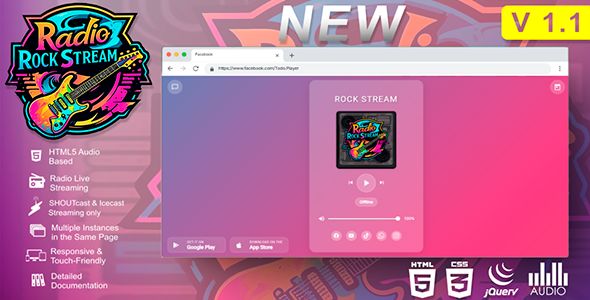
Finding a reliable, self-hosted HTML5 audio player for internet radio streams is a task that often ends in frustration. You're typically navigating a minefield of abandoned jQuery plugins, Flash-based relics, or overly complex frameworks that bring a battleship to a knife fight. This is the exact problem space the Radio Rock Stream - Todo Players HTML5 ShoutCast, Icecast package aims to solve. It promises a clean, modern, and feature-rich solution for embedding ShoutCast and Icecast streams directly into any website. But promises on a product page are one thing; performance under pressure in a real-world development environment is another. This review isn't just a feature list; it's a deep dive into the code, an installation walkthrough, and a critical analysis from a developer’s perspective. We'll tear it down to see if it's a robust tool or just another pretty face with a fragile foundation.
First Impressions: The Promise vs. The Code
The sales pitch is compelling: a responsive, touch-friendly player with multiple skins, social sharing integration, track history, and broad compatibility with ShoutCast and Icecast servers. It’s positioned as a one-stop-shop solution. Upon downloading and unzipping the package, the initial file structure is reasonably organized. You get a collection of folders, typically one for each player "skin" or style. Inside each, there's the requisite CSS, JavaScript, and image assets. There's no build system, no dependency manager, just raw, ready-to-use files. For a certain type of user—someone who wants to just copy, paste, and go—this is a plus. For a developer accustomed to modern workflows (npm, Webpack, etc.), it feels a bit dated, but it also means no complex setup is required.
My first action was to open the JavaScript files. It's immediately apparent that the entire player is built on jQuery. While jQuery is far from obsolete, its necessity for a component like this in 2023+ is debatable. Modern vanilla JavaScript (ES6+) has powerful DOM manipulation and fetch APIs that can handle everything this player does, resulting in a lighter, dependency-free component. The reliance on jQuery isn't a deal-breaker, but it does add a non-trivial dependency (around 80-90KB) if your site isn't already using it. The code itself is functional but not exemplary. It’s largely procedural, contained within a single large plugin file, with a mix of inline comments that are helpful at times and absent where you'd most want them. It’s not spaghetti code, but it lacks the clean, modular architecture of a modern JavaScript component.
Core Functionality: Does It Actually Play Music Reliably?
A radio player has one primary job: to play an audio stream without interruption and display the correct "Now Playing" metadata. Everything else is secondary. I put the player through its paces with a variety of streams to test its core competency.
- Icecast 2: Connected and played flawlessly. Metadata updates for track title and artist were pulled correctly from the /status-json.xsl endpoint that modern Icecast servers provide. The updates were timely, reflecting song changes within a few seconds.
- ShoutCast v2: Similar to Icecast, ShoutCast v2 worked without a hitch. The player correctly parses the SID (Stream ID) and fetches metadata reliably. No issues here.
- ShoutCast v1 (Legacy): This is where many modern players fail. ShoutCast v1 uses an archaic method of embedding metadata within the audio stream itself, which the HTML5 <audio> element cannot parse directly. A common workaround is a server-side proxy script that scrapes the metadata. This player requires such a proxy for v1 streams. The package includes PHP proxy scripts, which is a thoughtful addition. However, this introduces a server-side dependency (PHP) and an extra point of failure. If you're running a Node.js or Python backend, you’ll have to write your own proxy or find another solution. Crucially, the player does not work with ShoutCast v1 out-of-the-box without this server-side component.
The underlying mechanism uses the standard HTML5 <audio> tag. The JavaScript acts as a custom chrome, or interface, for this tag. It handles stream interruptions reasonably well, attempting to reconnect if the stream drops. Buffering behavior is standard, dictated by the browser's implementation of the audio element. The metadata polling is done via AJAX requests at a set interval. This is standard practice, but it's worth noting that it creates a continuous chain of network requests from every user. For a high-traffic site, this could put a noticeable load on your streaming server's web interface, something to be aware of.
A Developer's Critique of the Codebase
Beyond just "does it work," a senior developer asks "how does it work, and can I maintain it?" Here's a closer look at the technical implementation.
HTML Structure
The player injects a significant block of HTML into your designated container element. It's a classic div-heavy structure. While it's functional, it's not a model of semantic HTML. There's a noticeable lack of ARIA attributes, which is a significant accessibility miss. A user relying on a screen reader would have a difficult time navigating the player controls. Buttons are often just div or a tags rather than proper <button> elements. This is a common shortcut, but it's technically incorrect and hurts accessibility. For a professional deployment, you would want to refactor this markup to be more standards-compliant.
CSS and Styling
The styling is handled by a single CSS fi

相关文章
热门文章

热门问题

等待解答
推荐专家




