Lagar Winery Theme Review: Uncorking a Niche E-commerce Solution - Activated
Lagar Winery Theme Review: Uncorking a Niche E-commerce Solution
Building a compelling online store for a winery presents a unique set of challenges. You're not just selling a product; you're selling an experience, a story, a taste of the terroir. Standard e-commerce templates often feel sterile and fail to capture the rustic elegance and brand identity a winery needs. This is the void that niche themes aim to fill. Today, we're putting one such contender under the microscope: Lagar - Winery Wine Ecommerce. This isn't going to be a superficial look at the demo. As a developer, I'm cracking open the bottle to inspect the code, the dependencies, the performance potential, and the real-world usability. We'll walk through a full installation and find out if Lagar is a fine vintage or just another table wine in a fancy bottle.
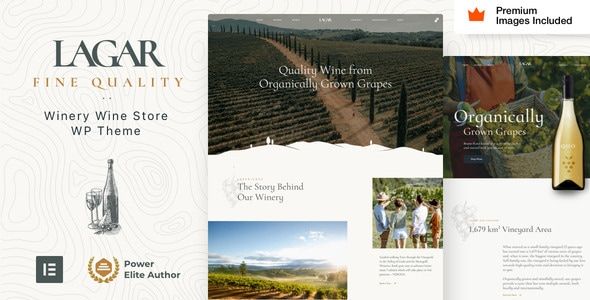
First Impressions: The Digital Cellar Door
A theme's demo is its handshake. It’s the first promise of what's possible. Lagar's initial presentation is strong. It leans into a modern, clean aesthetic with a touch of classic refinement. The typography is a mix of elegant serifs and clean sans-serifs, which is appropriate for the luxury market. The layouts make heavy use of high-quality imagery, which is non-negotiable for a winery—you need to showcase the vineyard, the bottles, the lifestyle.
The demos (it comes with several homepage variants) effectively segment the typical content a winery needs: featured wines, an "about our story" section, event promotion for tastings, and a clear path to the shop. The color palettes are muted and earthy, allowing the product photography to be the hero. So far, so good. It looks professional and trustworthy.
However, a seasoned developer's eye immediately starts deconstructing the facade. I see a heavy reliance on full-width background images, parallax effects, and animated-on-scroll elements. While visually engaging, these are often the primary culprits for poor performance, especially on mobile. The question isn't "Does it look good?" The question is, "What is the performance cost of looking this good, and can it be mitigated?" The demo feels slick, but it also feels heavy. That's the first red flag we'll investigate later.
The Installation Gauntlet: A Step-by-Step Technical Guide
A theme's true nature is often revealed during installation. A smooth setup is a sign of good development practices; a bumpy one is a warning of future headaches. Let's walk through the process from download to a fully functional demo site.
Prerequisites: Don't Bring a Crate to a Cup Holder
Before you even download the ZIP file, check your hosting environment. A theme like Lagar, laden with plugins and high-resolution images, will choke on cheap, under-resourced shared hosting. Don't even try. You should be looking at a server with, at a minimum:
- PHP 7.4 or higher (PHP 8.x is ideal)
- Memory Limit: 256M (512M is better)
- max_execution_time: 300
- post_max_size: 64M
- upload_max_filesize: 64M
Failure to meet these specs will almost certainly result in a failed demo import or timeout errors during plugin installation. Consider this your first checkpoint.
Step 1: Uploading the Theme
This is standard procedure. Navigate to Appearance > Themes > Add New > Upload Theme in your WordPress dashboard. The downloaded package from the source might contain more than just the theme file (documentation, licensing, etc.). Make sure you're uploading the correct lagar.zip file, not the entire package.

相关文章
热门文章

热门问题

等待解答
推荐专家




